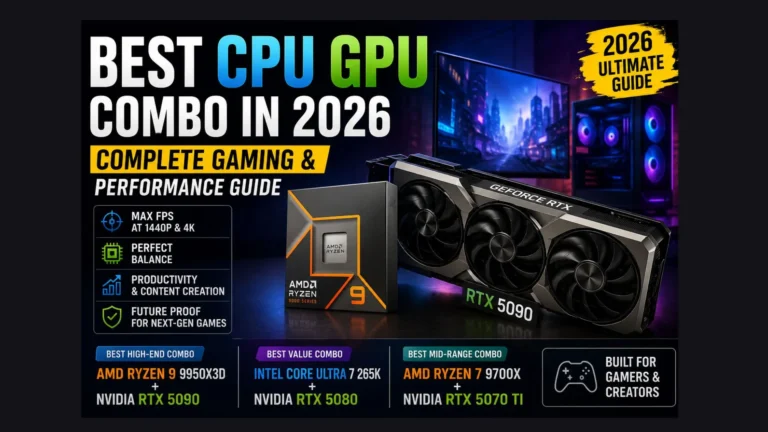
Best CPU for RTX 5080: Matched Pairings for Every Budget
Best CPU for RTX 5080: Matched Pairings for Every Budget
The RTX 5080 is capable enough that pairing it with the wrong CPU wastes a real share of its performance, especially at 1080p and 1440p. This guide covers the processors that keep pace with it across different budgets and use cases.
Quick Recommendation
| Budget | CPU | Best For |
|---|---|---|
| Best Overall | AMD Ryzen 7 9800X3D | Pure gaming, 1080p and 1440p |
| Best Value | AMD Ryzen 7 9700X | Budget-conscious 1440p and 4K builds |
| Best for Gaming + Productivity | AMD Ryzen 9 9950X3D | Streaming, rendering, or heavy multitasking alongside gaming |
| Intel Alternative | Intel Core i7-14700K or Core Ultra 9 285K | Builders already on an Intel platform |
Best Overall: AMD Ryzen 7 9800X3D
This is currently the strongest gaming pairing for the RTX 5080. Its large stacked cache reduces the delay between the CPU preparing a frame and the GPU rendering it, which shows up as smoother 1% low frame rates rather than just a higher average FPS. At 1440p, bottleneck testing puts this pairing in the single digits — close enough to balanced that upgrading further wouldn’t meaningfully help pure gaming performance.
Best Value: AMD Ryzen 7 9700X
If the flagship gaming chip is outside your budget, this is the sensible step down. It doesn’t carry the extra cache of the X3D chips, but it still avoids any significant bottleneck at 1440p and 4K, and it pairs with more affordable motherboards, which helps keep total build cost reasonable.
Best for Gaming and Productivity: AMD Ryzen 9 9950X3D
Worth the jump if you’re also streaming, editing video, or running demanding background applications alongside gaming. The extra cores help with multitasking and rendering workloads without giving up much of the gaming-focused cache advantage that keeps the RTX 5080 fed.
Intel Alternative
If you’re already invested in an Intel platform and switching isn’t practical, the Core i7-14700K or Core Ultra 9 285K both keep the RTX 5080 reasonably fed, though current testing shows AMD’s X3D chips ahead in pure gaming frame rates by a noticeable margin. These Intel options make more sense as a way to avoid a full platform change than as a first choice built from scratch.
Does Resolution Change This Recommendation?
Yes. At 1080p, CPU choice matters most, since the GPU can render frames faster than a weaker processor can supply them. At 4K, the GPU itself becomes the limiting factor regardless of which of these CPUs you choose, so the gap between options narrows considerably. If you’re building primarily for 4K, the value-tier option is a reasonable place to save money without a real performance cost.
Related Tools & Guides
Verify any of these pairings with our bottleneck calculator, weigh alternate CPUs with Compare CPUs and GPUs, or check VRAM headroom with the VRAM calculator.
Frequently Asked Questions
Will a budget CPU bottleneck the RTX 5080?
Yes, noticeably at 1080p and to a lesser extent at 1440p. A mid-range or better CPU is worth the investment if you’re pairing it with a GPU this capable.
Does PCIe generation matter for this pairing?
Not significantly for gaming. Current games show minimal difference between PCIe 4.0 and 5.0 with this GPU, so don’t overspend on a motherboard purely for that spec.
Is DDR5 required for these CPU options?
Yes, all of the AMD and Intel options above require DDR5 memory, which also provides more bandwidth than older DDR4 platforms.
Should I check my exact pairing before buying?
Yes — run your current or planned CPU and GPU through the calculator above to see an estimate specific to your resolution and workload rather than relying on general recommendations alone.