The Best CPU for the RTX 4060… Wait, No. You Bought an RTX 4070
Choosing the best CPU for RTX 4070 can dramatically improve gaming FPS, streaming performance, and multitasking, whether you prefer high-end processors from AMD Ryzen series or powerful Intel Core CPUs for a perfectly balanced gaming PC build.
You just dropped $550 to $600 on an Nvidia RTX 4070. You have a serious piece of silicon in your hands. This card isn’t built for basic 1080p monitors; it is a dedicated 1440p powerhouse designed to handle ray tracing, DLSS 3, and ultra-high-refresh-rate gaming.
But here is the hard truth about PC building: dropping a premium GPU into a system with a mismatched, underpowered processor is like putting Ferrari tires on a golf cart. You will experience brutal micro-stutters, frame drops, and abysmal 1% lows.
Conversely, spending $600 on a flagship Core i9 processor just to play games is burning cash that could have bought you a better monitor or a bigger SSD. You need perfect balance. At 1440p, the market it just needs to be fast enough to keep the RTX 4070 constantly fed with data.
Here are the exact processors that strike that perfect balance, categorized by exactly what you need them to do.
The Absolute Gaming Champion: AMD Ryzen 7 7800X3D
If your PC has one singular purpose, gaming at the absolute highest frame rates humanly possible, stop reading and buy this processor. The debate is over.
The Specs:
- Cores/Threads: 8 / 16
- Base Clock: 4.2 GHz
- Boost Clock: 5.0 GHz
- L3 Cache: 96MB (3D V-Cache)
- Platform: AM5
Why it makes perfect sense:
The Ryzen 7 7800X3D feels like a cheat code. AMD engineers took a great processor and vertically stacked a massive block of high-speed L3 cache directly on top of the silicon.
Video games are obsessed with cache. Usually, when a CPU needs data, it has to reach out to your system RAM. That trip takes milliseconds, which translates to a micro-stutter on your screen. Because the 7800X3D has 96MB of memory directly on the chip, it processes game physics, massive open-world maps, and NPC logic almost instantly.
When paired with the RTX 4070 at 1440p, this CPU flattens your frame times. Games like Cyberpunk 2077, Microsoft Flight Simulator, and Escape from Tarkov will run smoother than you have ever experienced. Furthermore, it draws a ridiculously low amount of power (often under 70 watts while gaming). You don’t need an expensive liquid cooler; a $40 dual-tower air cooler handles it flawlessly.
The Do-It-All Workhorse: Intel Core i5-13600K (or 14600K)
What if you don’t just play games? What if you use your PC to edit 4K footage in Premiere Pro, stream via OBS, or compile code for your job? You need a processor that balances elite gaming with brute-force productivity. You need the i5-13600K.
The Specs:
- Cores/Threads: 14 (6 Performance, 8 Efficient) 20
- Base Clock: 3.5 GHz
- Boost Clock: 5.1 GHz
- Platform: LGA 1700
Why it makes perfect sense:
Forget the “i5” naming convention. This chip outperforms older i9s. Intel uses a hybrid architecture that mimics how modern smartphones work. It features 6 “Performance” cores that prioritize your active video game and 8 smaller “Efficient” cores that silently manage your background tasks, Discord, Chrome tabs, Spotify, and streaming software.
At 1440p, the RTX 4070 will be pushed to its absolute limit by the 13600K. You might lose 3 to 5 frames per second compared to the 7800X3D, but you gain a massive advantage in multi-core rendering tasks.
Another massive benefit here is budget flexibility. Intel’s LGA 1700 platform supports both DDR4 and DDR5 memory. If you are upgrading your PC and already have a great kit of 32GB DDR4 RAM, you can buy a DDR4 motherboard and save yourself $100.
(Note: The newer i5-14600K is essentially the exact same chip with a tiny clock speed bump. Buy whichever one is cheaper in your region.)
The Smart Value / Future-Proof Pick: AMD Ryzen 5 7600
If buying the RTX 4070 drained your bank account and you simply cannot afford a $350+ processor, do not panic. The Ryzen 5 7600 is the ultimate value king for modern PC builds.
The Specs:
- Cores/Threads: 6 / 12
- Base Clock: 3.8 GHz
- Boost Clock: 5.1 GHz
- Platform: AM5
Why it makes perfect sense:
At 1440p, the RTX 4070 acts as the great equalizer. Because the GPU is working so hard to draw the high-resolution pixels, the CPU workload drops. The Ryzen 5 7600’s six incredibly fast Zen 4 cores are more than enough to fully saturate the RTX 4070 in 98% of modern games. But the real reason you buy this chip is the AM5 platform longevity. If you buy an Intel chip today, that motherboard socket is a dead end. Intel is moving on. If you buy into AMD’s AM5 socket, you are securing your future. In four years, when you want to upgrade your graphics card to an RTX 6070, you won’t need to build a whole new PC. You can just update your motherboard BIOS, buy whatever the latest Ryzen processor is, and drop it straight in.
The AM4 Upgrader’s Savior: AMD Ryzen 7 5700X3D
Let’s address a very specific but very common situation. You already have a PC. You are running a Ryzen 5 3600 or a Ryzen 7 2700X on an older B450 or B550 motherboard, and you just bought the RTX 4070.
Do not build a new PC.
Upgrading to AM5 or Intel 13th Gen requires buying a new processor, a new motherboard, and new DDR5 RAM. That is easily a $500 to $600 penalty. Instead, update your current motherboard’s BIOS and buy the Ryzen 7 5700X3D.
This chip brings that same magical 3D V-Cache technology found in the 7800X3D down to the older AM4 platform. It is a drop-in upgrade that will single-handedly double your frame rates in CPU-bound games and completely maximize your RTX 4070 at 1440p. It is the smartest financial decision a current PC gamer can make, extending the life of your old rig by at least three years.
The PCIe Lane Reality Check
Unlike the cheaper RTX 4060 (which only uses 8 PCIe lanes), the RTX 4070 is wired for a full x16 PCIe 4.0 connection. Why does this matter? It means you do not have to worry about the motherboard. bottlenecks. If you install an RTX 4070 into an older PCIe 3.0 motherboard, it has so much physical bandwidth that the performance penalty is practically zero (less than 1% across most benchmarks). You can install this card into almost any system from the last five years and it will run at peak efficiency.
What You Should Avoid Buying
Any Intel Core i9 or AMD Ryzen 9
Unless your full-time job involves rendering 3D animations in Blender or running complex machine-learning algorithms, these chips are a trap. An i9-14900K runs insanely hot, demands expensive cooling, and yields virtually zero extra gaming frames at 1440p compared to an i5 or Ryzen 7.
Four-Core Processors.
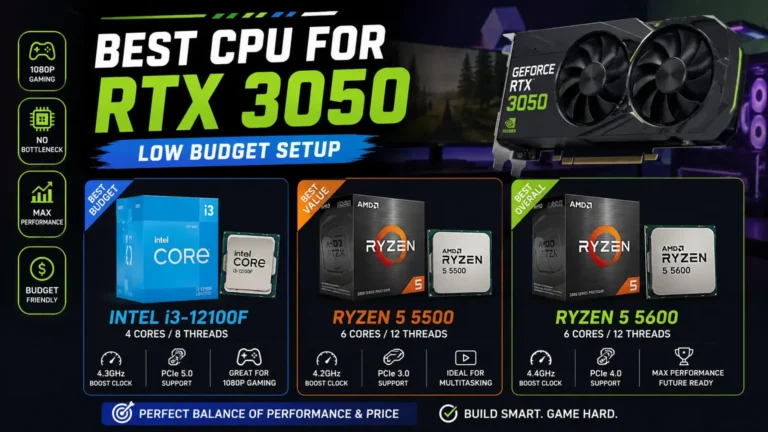
Do not pair a $600 graphics card with a budget 4-core CPU like the Intel Core i3-12100F. Modern game engines are optimized for 6 to 8 cores. A 4-core chip will cause heavy, jarring stuttering in multiplayer shooters and dense open-world games.
Frequently Asked Questions
What CPU tier does the RTX 4070 need to avoid bottlenecking?
A current-generation six-to-eight-core CPU with strong single-core performance is enough to keep the RTX 4070 fed at 1440p, its main target resolution.
Can I still use an older CPU like a Ryzen 5000-series chip?
Yes — a stronger AM4 chip such as the Ryzen 7 5700X3D can still pair well with the RTX 4070, especially if you’re not ready to move to a new platform yet.
Does resolution change which CPU I should buy?
Yes. At 1440p the GPU does more of the work and CPU choice matters less; at 1080p a weaker CPU is far more likely to become the limiting factor.
Should I upgrade my CPU or my GPU first with this card?
It depends on what’s actually limiting you today. See our <a href=”https://pcbottleneckcheck.com/upgrade-order/”>upgrade order guide</a> or run your setup through the <a href=”https://pcbottleneckcheck.com/bottleneck-check/”>bottleneck calculator</a> to find out.
The Bottom Line about the best CPU for RTX 4070
Your RTX 4070 is an elite piece of hardware. Treat it like one.
If you want the ultimate, uncompromised gaming rig with the smoothest frame times possible, buy the Ryzen 7 7800X3D.
If you need a machine that crushes video editing just as well as it crushes Cyberpunk 2077, grab the Intel Core i5-13600K.
If you are building on a strict budget but want an up Pick your best CPU for RTX 4070, snap the RTX 4070 into the motherboard, boot up your favorite game at 1440p, and never worry about a bottleneck again.
You can check your setup using our calculator.
Read our guide on The Best CPU for the RTX 3060 to discover the top CPU choices for smooth gaming and balanced performance.